
A/C Water Leak Photo Checklist: What to Send a Technician
A focused homeowner handoff. An A/C water-leak photo checklist helps you show a technician where water appeared and what the system was doing. This resource organizes a small evidence packet, rather than asking you to diagnose the leak. It also preserves the information needed to consider Unclog suction-based prevention if a drain fault is corrected and a compatible outdoor termination is confirmed.
Quick answer
Capture a location view, a detail of the visible symptom and any safely accessible thermostat message. Pair them with a short timeline. Never open equipment or restart a leaking system for the camera. If water is near electricity, spreading through a ceiling or creating unsafe access, get help first; the checklist can wait.
Show the route before planning Unclog prevention
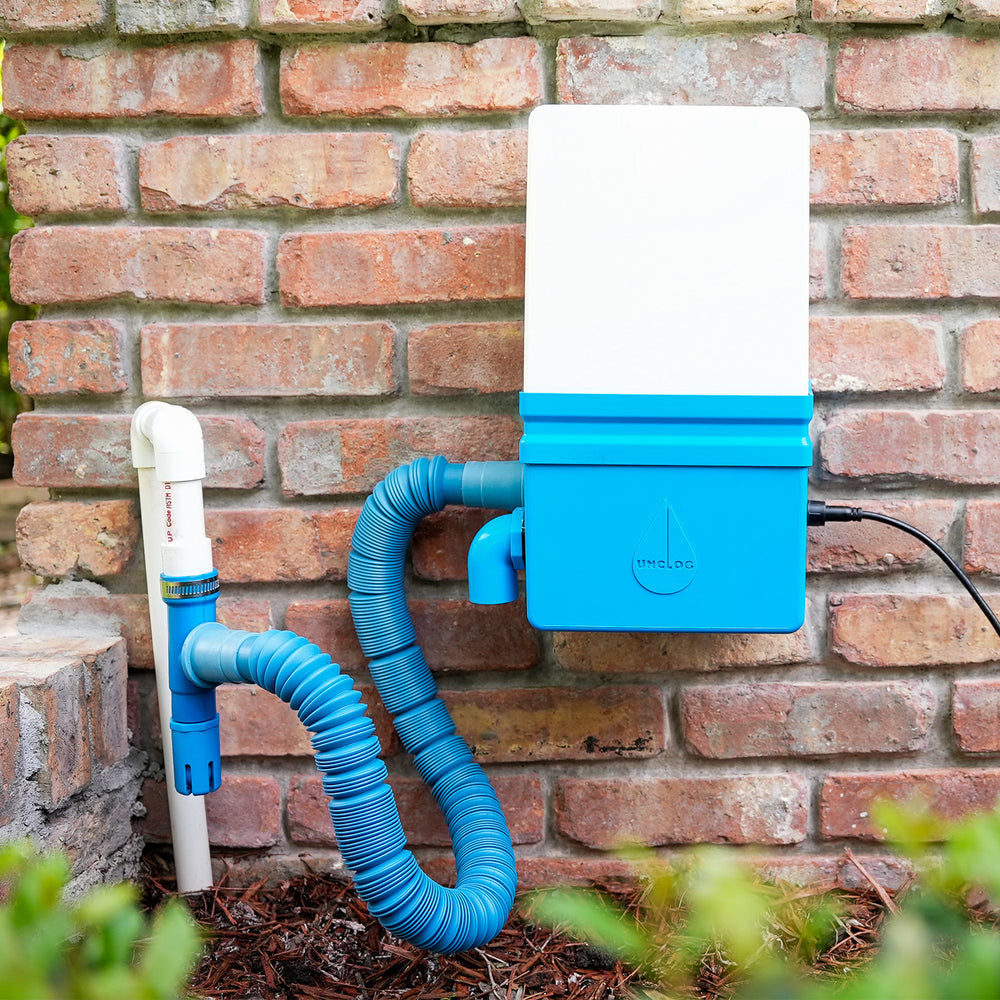
An outdoor photo can help identify the location available for service, but it cannot establish which indoor system feeds a pipe. Once diagnosis is complete, active faults are corrected and normal flow is verified, Unclog applies scheduled suction at a compatible outdoor termination to help remove developing buildup without recurring chemical cartridges. App scheduling and offline presets support a consistent routine.
Ask the technician to identify the correct termination, then check compatibility and installation requirements. Unclog does not repair frozen coils, pumps, pans, bad piping or active leaks, and is not an emergency substitute for clearing a blocked line.
1. Choose a small set of useful views
The Meyer & Depew photo-and-video guidance recommends a wider location image paired with a closer symptom view, useful operating context and safe observation without opening equipment. Its service guidance supports documentation as context, not a replacement for diagnosis. The shot list below is an original organizer for a condensate-related service request.
| View | Include | Label the limit |
|---|---|---|
| A. Location | Equipment area and visible wet location in one frame. | “Water noticed here,” not “source confirmed.” |
| B. Detail | The visible drip, stain, puddle or accessible fitting. | State whether dripping was happening at that moment. |
| C. Display | Thermostat message or settings, when accessible. | Note when the display was photographed. |
| D. Outdoor context | A safely accessible outlet and surrounding location, if known. | “Confirmed outlet” only if the route has been identified. |
| E. Recent change | Accessible filter label or service note relevant to the timeline. | Timing does not prove that the change caused the leak. |
2. Keep observations separate from conclusions
Use one system reference consistently: for example, “upstairs air handler.” Add the date, time, location and whether cooling or the indoor blower was operating. Mark uncertainty openly. A dry outlet in a photograph does not prove a clog; a puddle beside a pipe does not prove that pipe leaked.
Keep original files and attach a short note rather than drawing a definitive diagnosis onto the photo. If you crop a detail for clarity, retain the wider original too. Photos can lose context when sent separately, so use simple matching filenames such as “upstairs-01-location” and “upstairs-02-detail.”
Review what is visible before sharing. Avoid including unrelated people, documents, door codes or private room details. Send the packet through the provider’s requested channel; this page does not collect or transmit your files. If you rent, follow the property’s reporting procedure and avoid circulating resident information publicly.
3. Record an existing pattern, not a recreated failure
A brief steady clip may preserve an intermittent drip or sound better than a still photo. State what the clip shows and whether the system was already running. Do not keep a leaking system operating, defeat a switch or wait for another damaging cycle to obtain better footage.
Audio does not identify a failed component by itself. For a gurgling drain, capture the existing sound only from a safe position and leave its cause for diagnosis. If the symptom has stopped, describe the last observed event instead of trying to reproduce it.
4. Copy this service handoff
System: ____________________
First noticed: date/time ____________________
Visible water location: ____________________
System state at observation: ____________________
Recent change or service: ____________________
Files attached: location ____ detail ____ display ____ other ____
Known facts: ____________________
Unknowns: ____________________
Action already taken: ____________________
“These images show what I observed. Please identify the cause and explain what inspection or testing is needed. I have not confirmed that the drain is blocked or that the pictured outdoor pipe serves this system.”
Use the service-access checklist separately to prepare the visit. That guide concerns entry and access; this packet concerns symptom evidence. For an active indoor leak, use the indoor water-leak guide and arrange appropriate help.
5. Add a verified result after service
Ask what was found, what was repaired and how normal drainage was verified. Add the technician’s explanation as an attributed service finding rather than changing an earlier observation into a diagnosis. Keep recurring inspection and next-service dates in the maintenance log.
For a repaired drain-related fault, ask the technician to identify the primary termination and any compatibility constraints. Then review Unclog fit and consider scheduled suction-based maintenance. A photograph supports the conversation; route identification and verified normal flow support the installation decision.
Common questions
Can a technician diagnose the leak from photos alone?
Photos provide context. An inspection and testing may still be needed to establish the cause and repair.
Should I open the equipment for a better view?
No. Photograph only what is safely visible without opening equipment, reaching near electrical parts or entering hazardous spaces.
Does an outdoor outlet photo prove Unclog compatibility?
No. The route, termination, mounting and power requirements still need verification after active faults are resolved and normal flow is confirmed.